User Guide

Getting Started with Void Proxy

Global Proxy

How to configure API and set up AdsPower on Void Proxy PC software?


Configure AdsPower in the Void Proxy PC software (only AdsPower member users can use this API call function)


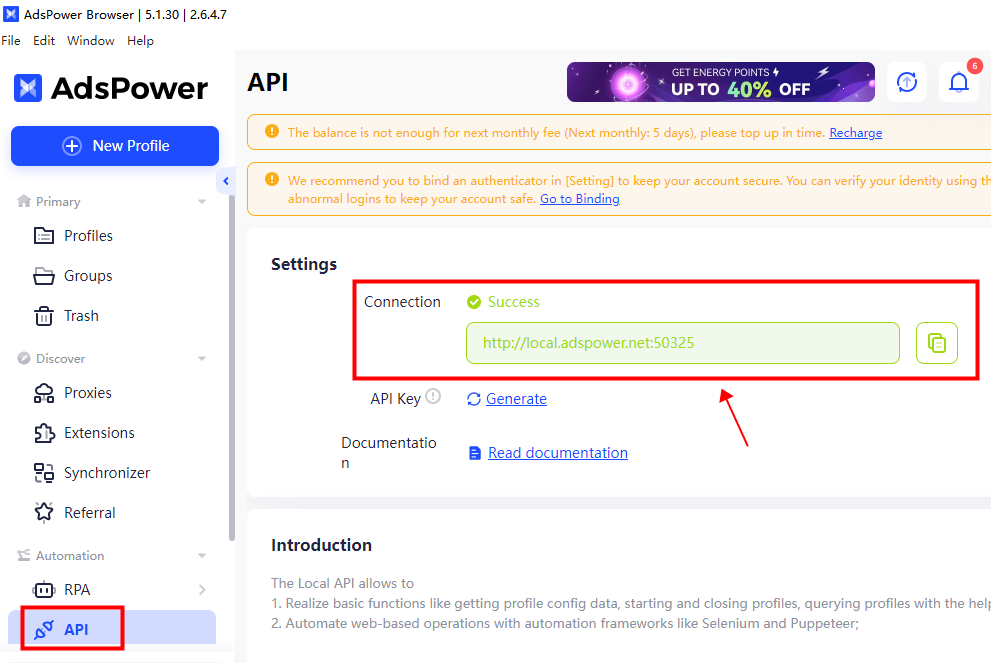
1. Open AdsPower client configuration [API domain name settings].


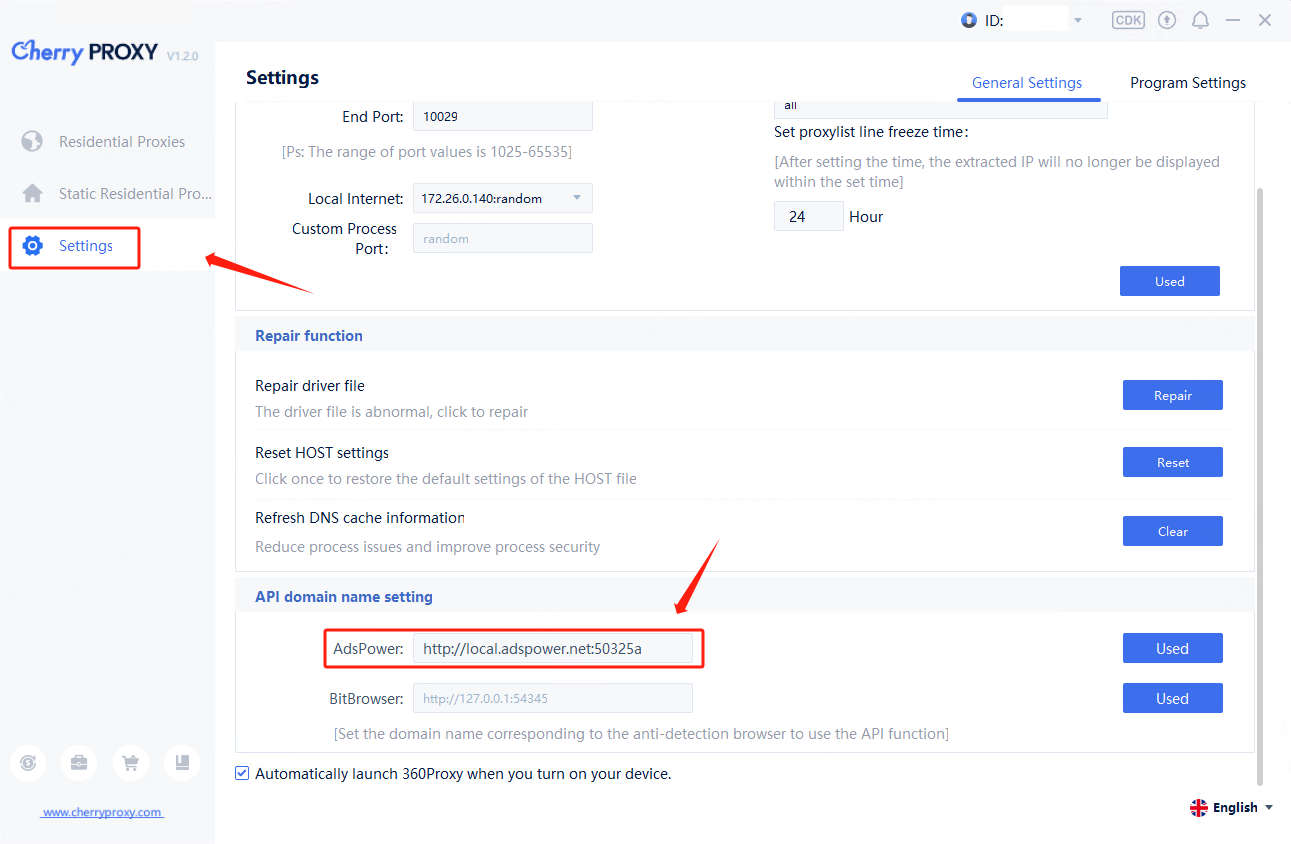
2. Open the Void Proxy client and log in to your account, check whether the following picture is consistent:

(1) If consistent, click [Used] on the Void Proxy client.

(2) If they are inconsistent, copy the API port of AdsPower and paste it into the Void Proxy client → API domain name setting → AdsPower, and then click [Used].


uploads/img/2023116549cdd5100b9.png


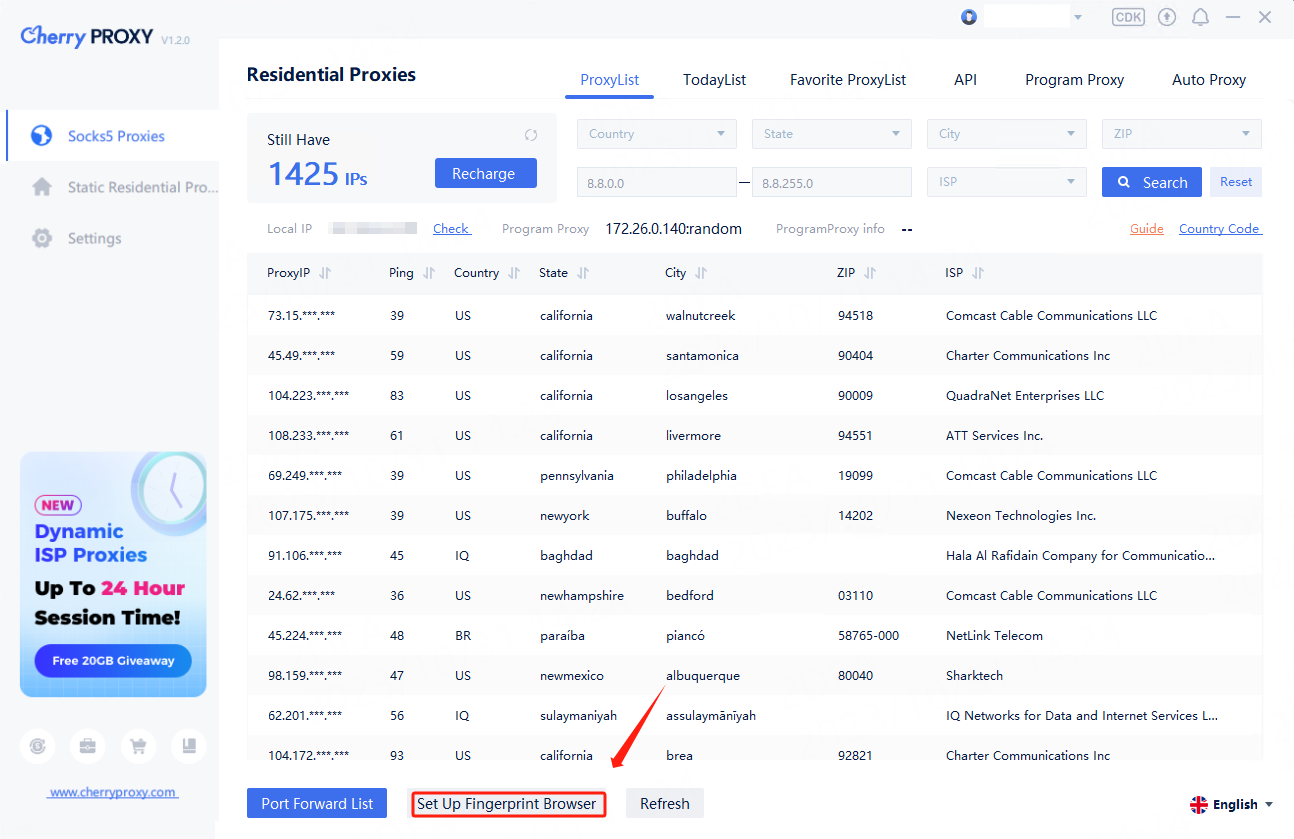
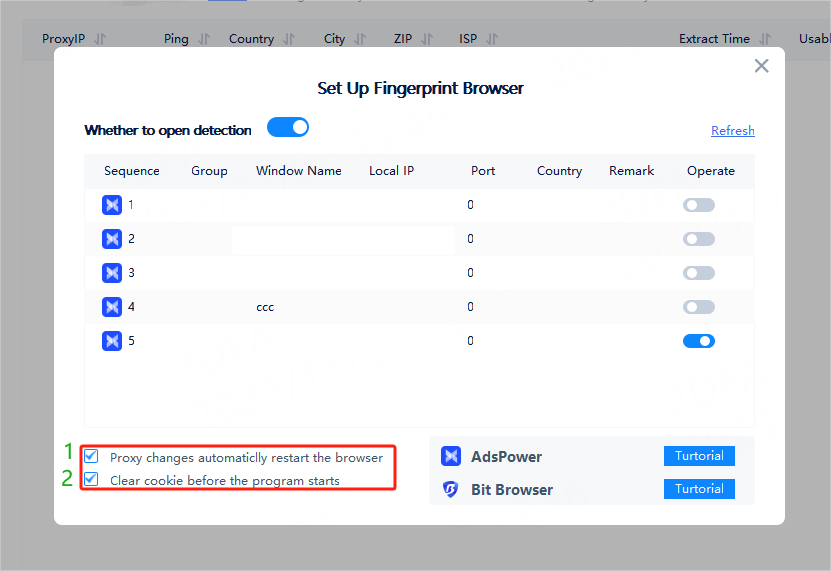
3. Click to enter [Set up Fingerprint Browser].


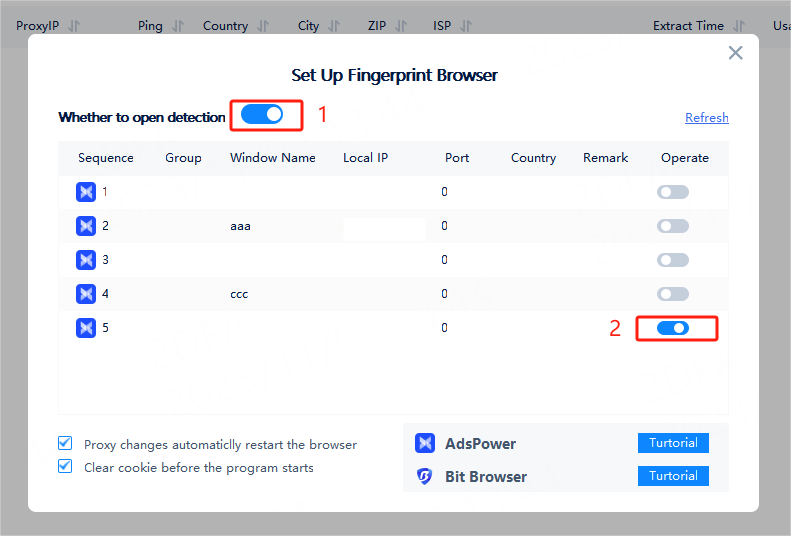
Button 1: Check [Whether to open detection] to enable the API calling function.

Button 2: Open the corresponding browser file.


4. Check the settings according to your business needs.

(1) Check this setting and when changing the proxy of the fingerprint browser file, the corresponding browser file will be automatically restarted.

(2) Check this setting and the browser's cookie information will be cleared before each proxy.


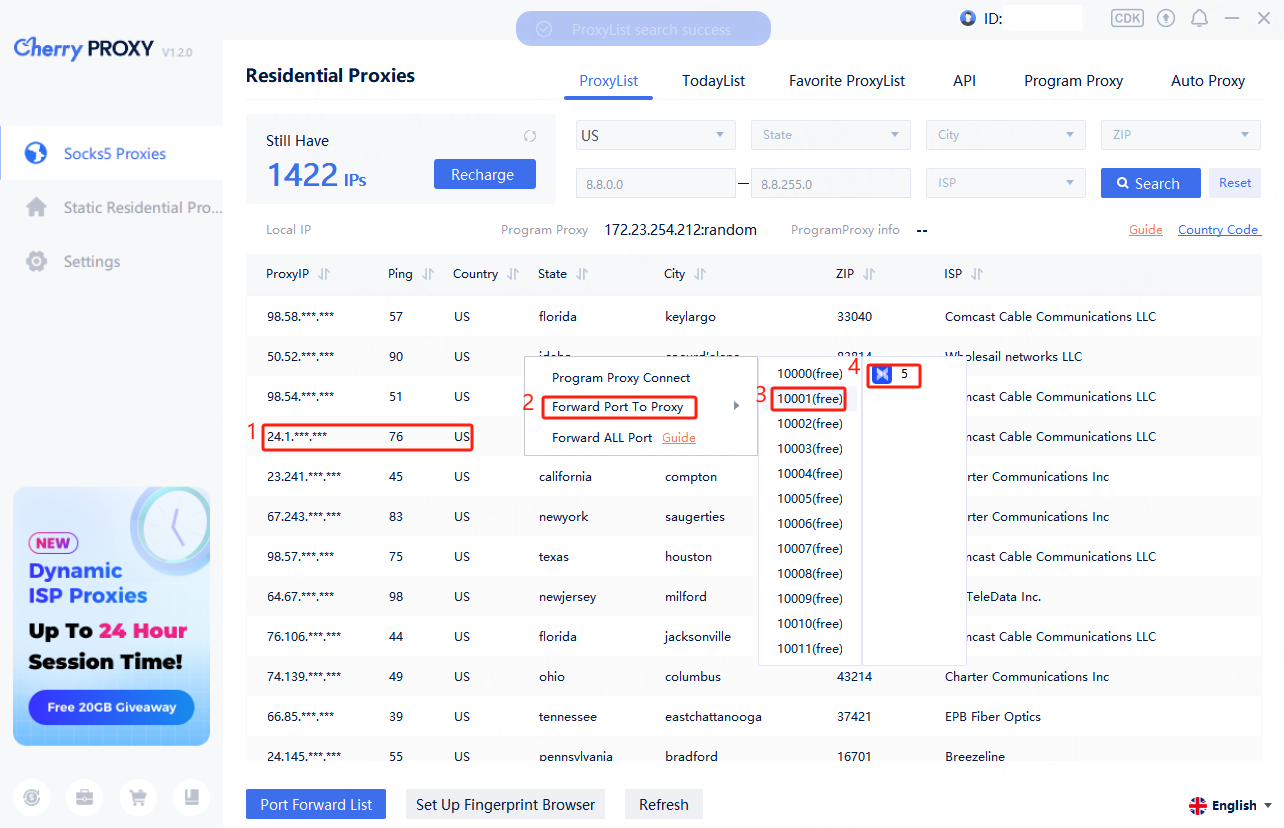
5. Right-click the IP and forward it to the port, and the currently opened fingerprint browser file will appear. Click on the fingerprint browser file you want to use to use it.